
Download Adware Cleaner – Free, Secure Adware Detection & Removal Tool
Overview
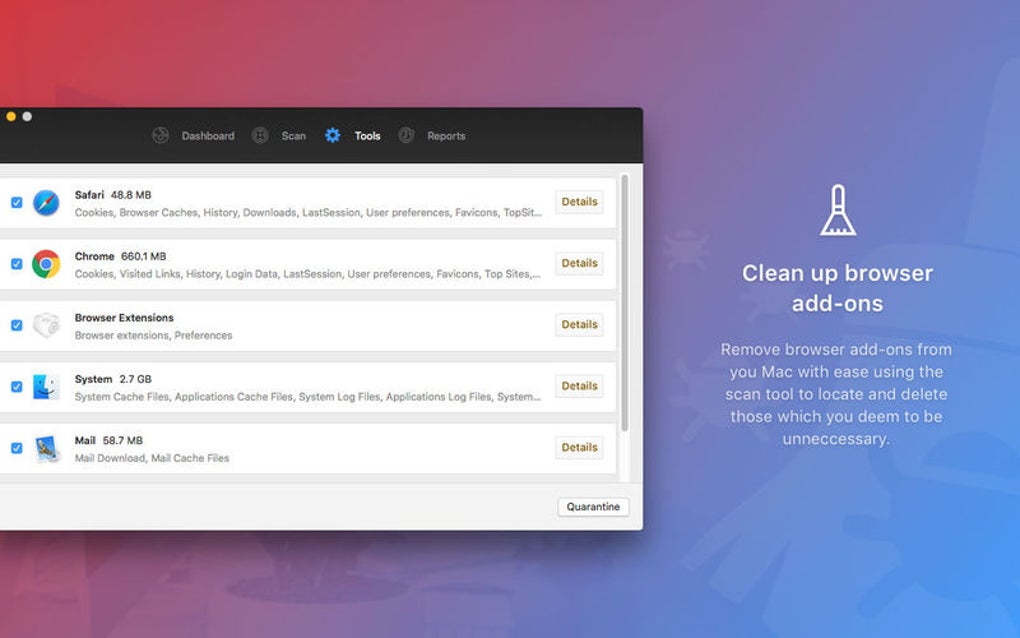
Adware Cleaner is a free, lightweight utility designed to locate, quarantine, and completely remove unwanted adware, malicious toolbars, hijacked homepages, and even hidden Trojans that can slow down or cripple a computer. Built with a focus on user‑friendly operation, the program scans the entire system, flags suspicious files, and offers a one‑click removal option that isolates threats in a secure quarantine before erasing them. By addressing both the symptoms (pop‑up ads, unwanted redirects) and the root cause (installed adware components), Adware Cleaner helps restore system performance, protect privacy, and keep browsers running smoothly. The software is updated regularly to recognize the latest adware signatures, making it a reliable partner for Windows, macOS, and Android users who want a no‑cost solution without the bloat of full‑scale antivirus suites.
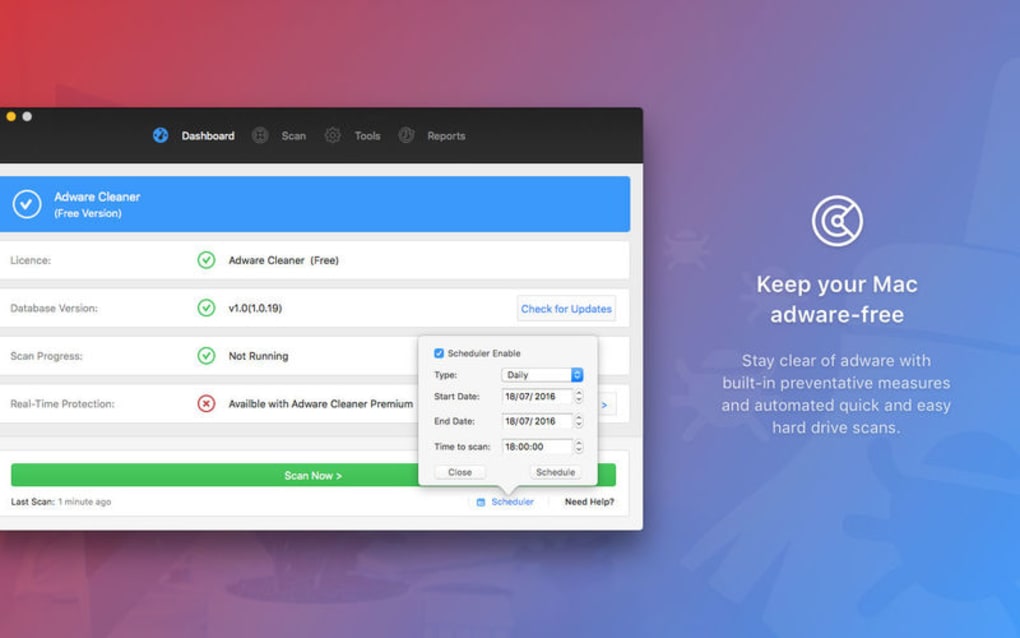
Beyond basic scanning, the tool includes real‑time protection that monitors newly installed extensions and browser add‑ons, alerting users before a malicious component can embed itself. The interface is intentionally simple: a large “Start Scan” button, a progress bar, and a clear list of detected items with short descriptions. For less‑tech‑savvy users, the “Auto‑Fix” mode handles everything automatically, while power users can explore detailed logs, export reports, and schedule regular scans. Because adware often slips through traditional antivirus programs, having a dedicated cleaner adds an extra layer of defense that specifically targets the ad‑related threats that most people encounter while browsing the web.
Key Features
- Comprehensive Adware Detection: Scans for toolbars, browser hijackers, pop‑up generators, and hidden Trojans.
- Secure Quarantine: Isolates suspicious files before removal, preventing accidental system damage.
- One‑Click Auto‑Fix: Fully automated removal for users who prefer a set‑and‑forget solution.
- Real‑Time Monitoring: Alerts when new extensions or programs attempt to install adware components.
- Detailed Scan Reports: Exportable logs in TXT or CSV format for auditing or tech support.
- Scheduled Scans: Set daily, weekly, or monthly scans to keep the system continuously clean.
- Lightweight Engine: Uses minimal CPU and RAM, ensuring that the scan does not slow down active work.
- Regular Signature Updates: Free updates delivered via secure HTTPS channels keep the database current.
- Multi‑Platform Support: Native installers for Windows 10/11, macOS 10.13+, and Android 6.0+.
- Privacy‑First Design: No telemetry, no data collection, and all processing stays on the local device.
Installation, Usage & Compatibility
Installing Adware Cleaner is straightforward. For Windows users, download the .exe installer, run it with administrative privileges, and follow the on‑screen wizard. The installer verifies the digital signature to ensure the file is authentic and untampered. macOS users receive a signed .dmg package; simply drag the application to the Applications folder and grant the necessary security permissions when prompted. Android users can obtain the APK from the official website; the app requests permission only to access storage for scanning and does not require root access.
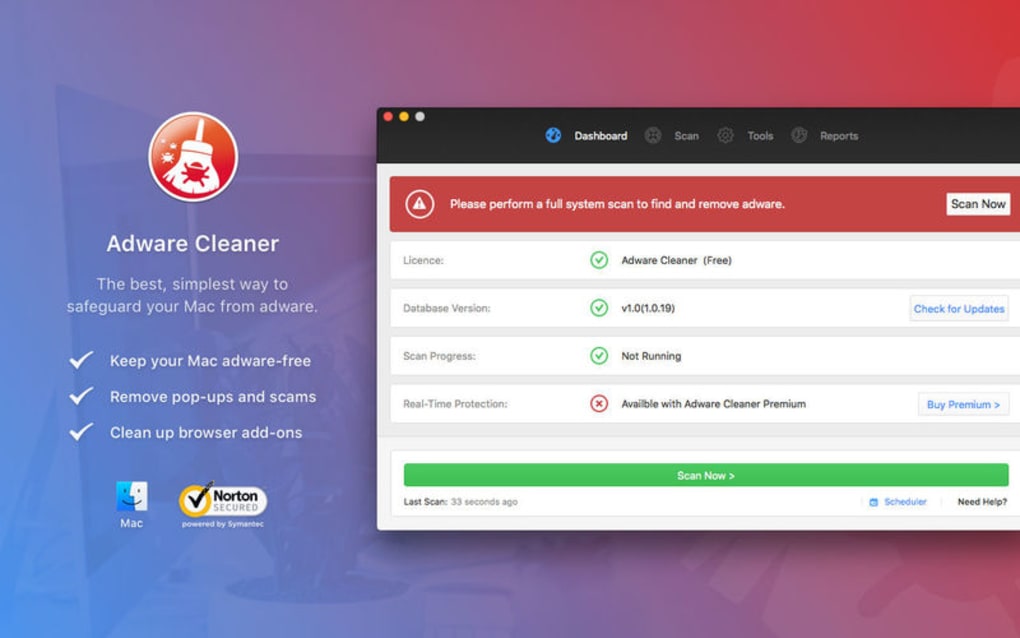
Once installed, launching the program opens a clean dashboard with three main tabs: Scan, Quarantine, and Settings. Clicking “Start Scan” initiates a full system sweep that typically completes within 5‑10 minutes on a modern PC, depending on the number of files. Detected items appear in a sortable list, each accompanied by a brief description, risk level, and location on the disk. Users may choose “Remove” for immediate deletion or “Quarantine” to isolate the file for later review. The Auto‑Fix button bypasses manual selection, automatically applying the safest removal method for each threat.
Compatibility details are listed below using the itemprop="operatingSystem" attribute for SEO relevance:
- Windows 10, Windows 11 (64‑bit)
- macOS 10.13 High Sierra and later (Intel & Apple Silicon)
- Android 6.0 Marshmallow and later (ARM & x86)
The software does not support iOS because Apple’s sandbox restrictions prevent third‑party apps from scanning the file system. However, the Windows and macOS versions include a companion browser extension that can monitor and block adware‑related redirects directly within Chrome, Edge, or Safari.
For best results, keep the application updated. The built‑in updater checks for new signatures each time the program launches and prompts the user to download the latest version if a newer build is available. Updates are delivered over encrypted HTTPS connections and signed with the developer’s private key, guaranteeing integrity and preventing man‑in‑the‑middle attacks.
Pros, Cons & Frequently Asked Questions
Pros
- Free to download and use with no hidden fees.
- Specialized focus on adware, toolbars, and browser hijackers.
- Lightweight, low‑impact scanning engine.
- Secure quarantine prevents accidental deletion of critical files.
- Regular signature updates keep protection current.
- Multi‑platform availability (Windows, macOS, Android).
Cons
- No built‑in VPN or broader malware protection.
- Limited to adware; does not detect ransomware or advanced threats.
- Android version requires manual installation of the APK.
- No iOS version due to platform restrictions.
- User interface is simple but may feel basic for power users seeking deep forensic tools.
FAQ
Is Adware Cleaner safe to use on a corporate computer?
Yes. The program runs without requiring elevated privileges beyond the initial scan, and all actions are performed locally. It does not transmit any data to external servers, making it compliant with most corporate IT policies.
Can Adware Cleaner remove a persistent toolbar that reappears after reboot?
Absolutely. The scanner targets both registry entries and leftover files associated with toolbars. After removal, the quarantine step ensures the remnants are deleted, preventing the toolbar from reinstalling on the next startup.
How often should I run a scan with Adware Cleaner?
For most users, a weekly scan is sufficient. However, if you frequently install free software or browse risky sites, consider scheduling daily scans using the built‑in scheduler.
Does the free version have any hidden ads or nag screens?
No. The free edition is ad‑free and does not display intrusive pop‑ups. You will see occasional prompts to upgrade to a premium version for additional features, but they can be dismissed.
What should I do if a file is mistakenly quarantined?
Open the Quarantine tab, select the file, and click “Restore.” The program will move the file back to its original location and add an exclusion rule to prevent future false positives.
Conclusion & Call to Action
Adware Cleaner fills a niche that many full‑scale antivirus suites overlook: the relentless stream of adware, toolbars, and browser hijackers that degrade performance and erode privacy. By offering a free, lightweight, and regularly updated solution, it empowers both home users and small businesses to reclaim a clean computing environment without paying for unnecessary extras. While it doesn’t replace a comprehensive security suite, its specialized focus, secure quarantine, and cross‑platform availability make it an essential addition to any device that regularly interacts with the internet.
Ready to protect your PC, Mac, or Android phone from intrusive ads and hidden malware? Free download now and run your first scan in under ten minutes. Keep your system fast, your browsing experience uninterrupted, and your personal data out of the hands of adware creators. Don’t wait for performance to degrade—take action today and enjoy a cleaner, safer digital life.







